
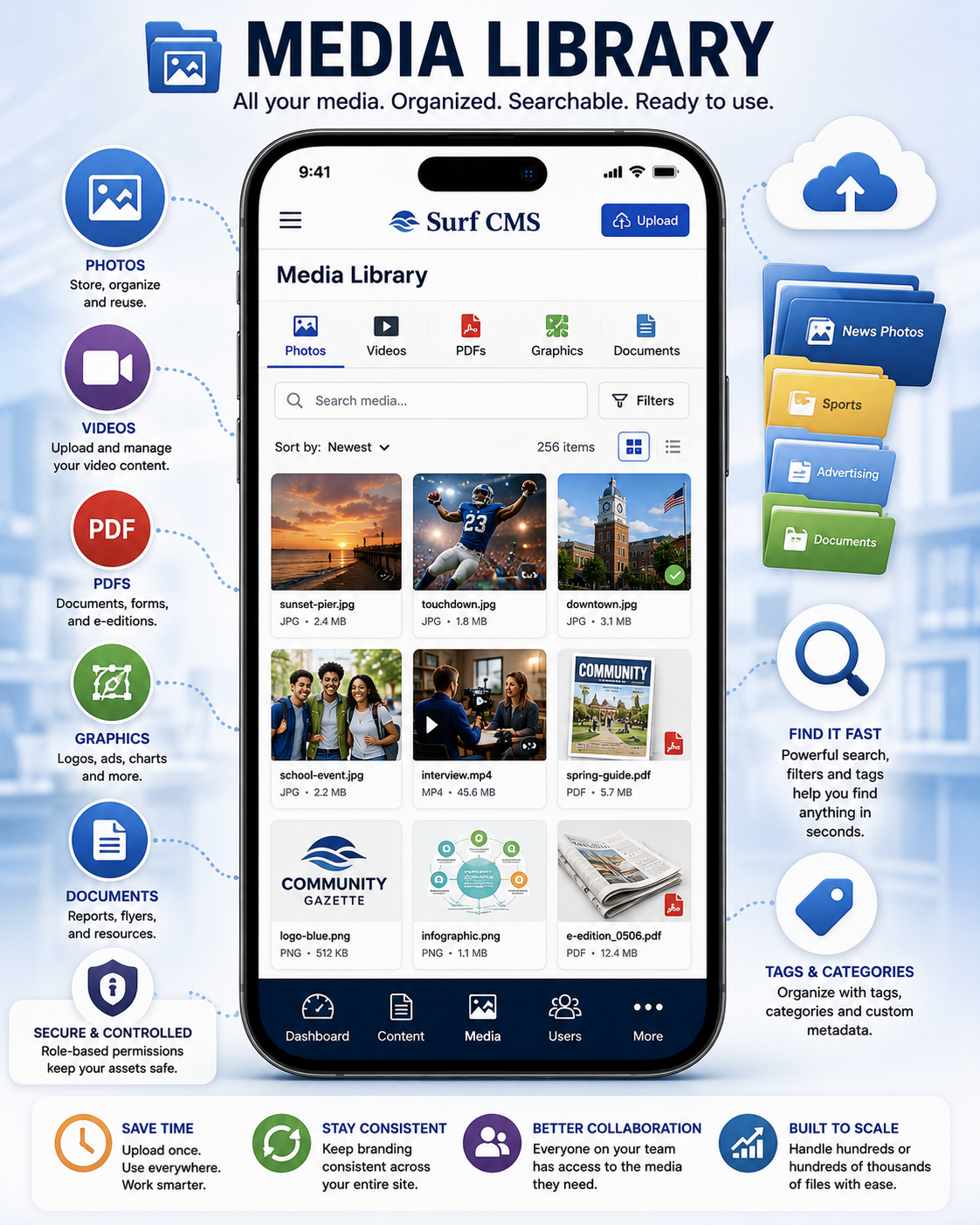
Every newspaper manages thousands of digital assets—from photos and videos to PDFs, logos, graphics, and documents. Surf CMS includes a centralized Media Library that keeps everything organized, searchable, and ready to use throughout your website.
Instead of uploading the same files repeatedly or searching through folders on different computers, your newsroom can access a single library of approved media whenever it's needed.
One Central Location
Store and manage virtually every type of media, including:
- Photos
- Image galleries
- Videos
- Audio files
- PDFs
- Logos
- Advertisements
- Graphics
- Documents
- Infographics
- E-edition files
- Downloadable resources
Everything is organized in one easy-to-manage location.
Reuse Media Anywhere
Upload a file once and use it throughout your website.
Add the same image or document to:
- News articles
- Sports stories
- Opinion columns
- Obituaries
- Event pages
- Resource pages
- Landing pages
- Advertisements
- Newsletters
- Custom pages
Update a file once, and every place it's used can automatically reflect the latest version.
Powerful Search and Organization
Quickly find media using:
- File names
- Keywords
- Categories
- Tags
- Upload dates
- File types
- Authors
- Custom metadata
Spend less time searching and more time publishing.
Image Management
The Media Library helps editors manage images with features such as:
- Automatic image resizing
- Multiple image styles
- Alternative (alt) text
- Captions
- Photographer credits
- Image descriptions
- Responsive image support
Optimize every image for both readers and search engines.
Support Large Media Collections
Whether your newspaper has hundreds or hundreds of thousands of files, Surf CMS provides a scalable system for organizing and managing your growing digital archive.
Permissions and Security
Control who can upload, edit, replace, or delete media files through role-based permissions. Keep your newsroom organized while protecting valuable assets from accidental changes.
Improve Workflow
A centralized Media Library reduces duplicate uploads, keeps branding consistent, and allows staff across multiple departments to work from the same collection of approved files.
From newsroom editors to advertising designers and marketing staff, everyone can quickly find the media they need.
Built for Community Newspapers
Whether you're publishing breaking news photos, sports galleries, promotional graphics, historical archives, or advertiser logos, Surf CMS helps you manage your media efficiently while keeping your content organized and accessible.
Organize Your Digital Assets
A well-organized Media Library saves time, improves consistency, and makes publishing faster. Surf CMS gives your entire team instant access to the photos, videos, documents, and graphics they need—all from one centralized location.
One library. Unlimited possibilities. Store, organize, search, and reuse your digital assets with a powerful Media Library built specifically for modern newspaper publishing.