
PLEASE NOTE: This resource article references moving emails to a Surf New Media server. This does not pertain to clients who choose to keep their current email hosting external of Surf New Media.
We'll help you determine the safest way to preserve your existing email before the old service is discontinued.
Email Migration
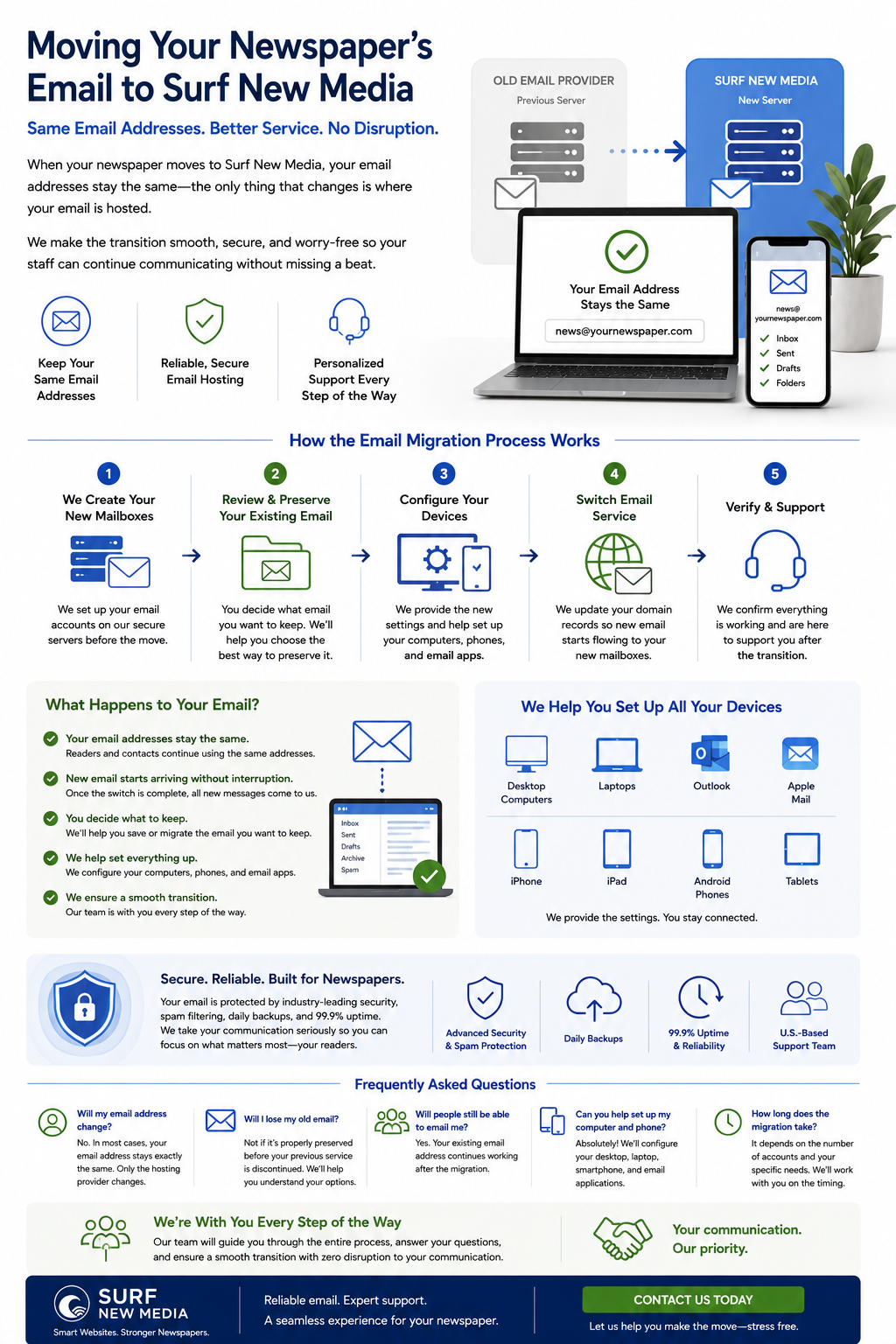
When newspapers move their website to Surf New Media, one of the first questions is almost always: "What happens to our email?"
The good news is that, in most cases, your email addresses stay exactly the same.
If your email address is:
or
or
those addresses typically remain unchanged.
The difference is simply where the email is hosted.
Instead of your previous provider handling your email, Surf New Media becomes your new email provider.
Your readers, advertisers, and subscribers continue using the same email addresses they've always known.
Your Email Address Doesn't Change
One of the biggest misconceptions about switching providers is that everyone must learn new email addresses.
That's almost never the case.
For example:
Before
Hosted by your previous provider.
↓
After
Hosted by Surf New Media.
To your readers, nothing changes.
What Happens to Existing Emails?
This is one of the most important parts of the migration process.
Your current email provider stores all of your:
- Inbox messages
- Sent messages
- Drafts
- Archived mail
- Folders
- Contacts (depending on your email program)
When your email service moves, those messages do not automatically move with it.
That means it's important to preserve any email you want to keep before the previous service is discontinued.
We Create Your New Mailboxes
Before the transition, Surf New Media creates each email account on our servers.
For example:
- publisher@
- editor@
- news@
- sports@
- advertising@
- classifieds@
- circulation@
Each mailbox is configured and ready before the migration takes place.
You Continue Using the Same Email Address
Once everything is ready, we'll update the necessary DNS records so new email begins arriving at your Surf New Media mailbox.
From your perspective:
- Your email address stays the same.
- New messages begin arriving at the new mailbox.
- Your website visitors continue using the same addresses.
Most readers won't even notice the change.
What You Need to Do
The only step we ask our clients to complete is making sure they preserve any email stored with their previous provider if they want to keep it.
Many email programs, such as Microsoft Outlook and Apple Mail, already download messages to your computer. If your messages are stored locally, they may already be preserved.
If your email is only stored on your previous provider's server, you'll want to make sure those messages are copied or migrated before the old service is canceled.
If you're unsure how your email is currently stored, we'll gladly help you determine the best approach.
We Help You Set Up Your Devices
After your new email accounts are ready, we'll help configure your preferred devices, including:
- Desktop computers
- Laptops
- Apple Mail
- Microsoft Outlook
- iPhones
- iPads
- Android phones
- Tablets
We'll provide the new settings and help ensure your staff can send and receive email successfully.
A Typical Email Migration Timeline
Step 1 – Create New Mailboxes
We create each email account on our servers.
Step 2 – Review Existing Email
You'll review your current email and decide what historical messages you want to preserve.
Step 3 – Configure Devices
We'll help update your computers and mobile devices to connect to the new email service.
Step 4 – Switch Email Service
We update your domain's mail records so all new email begins arriving on the Surf New Media servers.
Step 5 – Verify Everything
We confirm that every mailbox is working correctly and that staff members can send and receive email without interruption.
Frequently Asked Questions
Will my email address change?
No.
In most cases, your email address remains exactly the same.
Only the hosting provider changes.
Will people still be able to email me?
Yes.
Your existing email address continues working after the migration.
Will I lose my old email?
Not if it's properly preserved before your previous service is discontinued.
We'll explain your options and help you understand the best approach based on how your current email is configured.
Can you help set up my computer and phone?
Absolutely.
We'll help configure your desktop computer, laptop, smartphone, tablet, and preferred email applications.
How long does the email migration take?
Creating the new mailboxes is usually quick. The overall timing depends on the number of accounts, device setup, and whether historical email needs to be copied from the previous provider.
We'll work with you to schedule the transition at a convenient time.
A Smooth Transition
Moving your email doesn't have to be stressful.
With careful planning, your newspaper can continue sending and receiving email using the same familiar addresses while benefiting from reliable hosting and personalized support from Surf New Media.
Our team will guide you through each step of the process and answer any questions along the way.
Need Help Preparing for Your Email Migration?
Whether you're moving your website, email, or both, Surf New Media is here to help make the transition as smooth as possible.
We'll create your new email accounts, help configure your devices, explain how to preserve your existing messages, and ensure your staff is ready before the switch takes place.
Contact us today to learn more about our website and email migration services.