
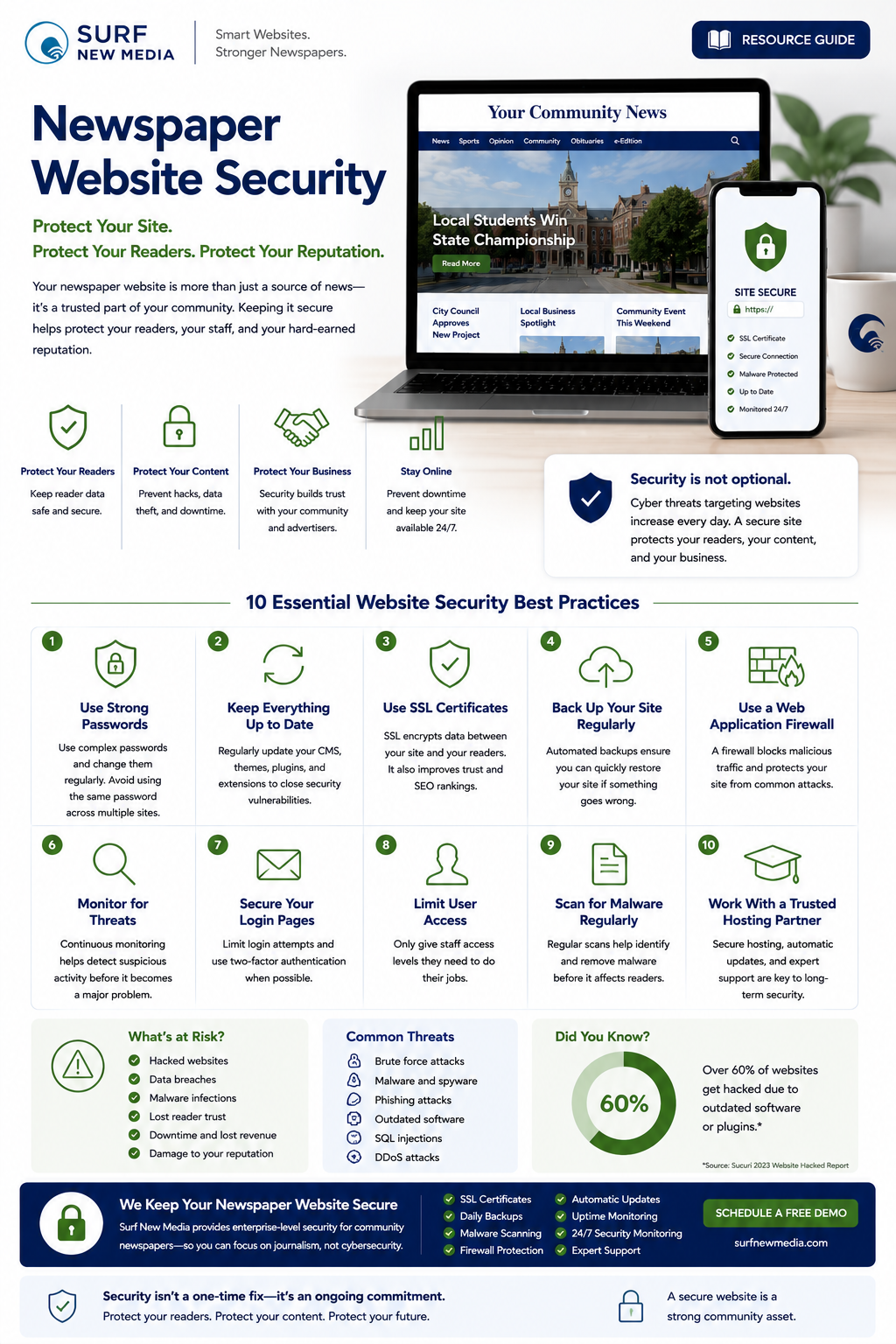
Security Is About More Than Technology
Your newspaper's website is one of your most valuable assets.
It's where readers get breaking news, subscribe to your publication, contact your staff, purchase advertising, and engage with your community.
Keeping that website secure isn't simply an IT responsibility—it's an important part of protecting your readers, your reputation, and your business.
A secure website helps ensure your journalism remains available when your community needs it most.
Why Website Security Matters
Cybersecurity threats affect organizations of every size.
Community newspapers are no exception.
A compromised website can lead to:
- Website downtime
- Lost reader confidence
- Interrupted advertising campaigns
- Search engine warnings
- Data loss
- Additional recovery costs
While no website can eliminate every risk, following good security practices greatly reduces the likelihood of problems.
Keep Your Website Updated
One of the simplest ways to improve security is to keep your website software current.
Regular updates often include:
- Security patches
- Bug fixes
- Performance improvements
- Compatibility updates
Keeping your CMS, themes, and modules up to date helps protect your website from known vulnerabilities.
Use Strong Passwords
Weak passwords remain one of the most common security risks.
Encourage staff to:
- Use long, unique passwords.
- Avoid reusing passwords across multiple services.
- Change passwords if there's reason to believe they have been compromised.
- Use a password manager to securely store credentials.
Good password habits provide an important first line of defense.
Enable Multi-Factor Authentication
Whenever possible, add an extra layer of protection by enabling multi-factor authentication (MFA).
Even if a password is compromised, MFA helps reduce the risk of unauthorized access.
For administrative accounts especially, this added protection is well worth the small extra step during sign-in.
Back Up Your Website Regularly
Backups are essential.
If a problem ever occurs, a recent backup can help restore your website more quickly.
A good backup strategy includes:
- Automatic backups
- Secure off-site storage
- Regular testing to confirm backups can be restored successfully
Backups don't prevent problems, but they make recovery much easier.
Use SSL Encryption
Readers expect websites to use secure connections.
An SSL certificate encrypts information exchanged between your website and its visitors.
It also helps build trust and is a standard expectation for modern websites.
Limit Administrative Access
Not every staff member needs full administrative privileges.
Grant users only the permissions required for their responsibilities.
Limiting access helps reduce the chance of accidental changes and improves overall security.
Monitor Your Website
Website security isn't something you set up once and forget.
Regular monitoring helps identify unusual activity, performance issues, or potential threats before they become larger problems.
Routine monitoring provides peace of mind and allows issues to be addressed more quickly.
Protect Reader Information
If your newspaper collects subscriber information, contact forms, newsletter registrations, or online payments, protecting that information is especially important.
Good security practices help safeguard:
- Subscriber information
- Contact form submissions
- User accounts
- Payment-related data
- Staff login credentials
Protecting reader information is an important part of maintaining trust.
Train Your Staff
Technology alone isn't enough.
Security also depends on people.
Help staff recognize:
- Phishing emails
- Suspicious links
- Unexpected attachments
- Social engineering attempts
- Password security best practices
An informed team is one of the best security tools your newspaper can have.
Plan Ahead
Even with excellent security practices, it's wise to have a response plan.
Know:
- Who to contact
- Where backups are stored
- How to communicate with staff
- How to notify readers if necessary
- How to restore your website
Planning ahead reduces stress if an unexpected issue ever occurs.
How Surf New Media Helps
Security is built into every Surf New Media hosting environment.
Our managed platform includes:
- Automatic software updates
- Security monitoring
- Routine backups
- SSL support
- Secure hosting
- Performance monitoring
- Ongoing maintenance
- Technical support
Our goal is to help community newspapers focus on publishing news while we help manage the technology behind the scenes.
Frequently Asked Questions
Is my newspaper too small to be targeted?
No website is completely immune from automated attacks. Good security practices are valuable for organizations of every size.
How often should our website be updated?
Security updates should be applied regularly. The appropriate timing depends on your CMS, modules, and hosting environment.
Do backups replace security?
No.
Backups are an important recovery tool, but they should be part of a broader security strategy that includes updates, monitoring, and strong account protection.
Does HTTPS really matter?
Yes.
Secure connections help protect data exchanged between your website and readers and are considered a standard feature of modern websites.
Can Surf New Media help improve our website's security?
Absolutely.
Our managed hosting platform is designed specifically for community newspapers and includes ongoing security monitoring, updates, backups, and technical support.
Related Resources
Continue exploring:
- Newspaper Resource Center
- Website Performance Tips
- Choosing the Best Newspaper CMS
- Website Migration Guide
- Newspaper Website Design Best Practices
- Why Newspapers Choose Drupal
Security Builds Confidence
Every visitor who comes to your website trusts that it will be available, reliable, and secure.
By following proven security practices and working with a trusted technology partner, your newspaper can reduce risk, protect valuable information, and continue serving your community with confidence.
At Surf New Media, we believe strong security isn't just about protecting servers—it's about protecting the trust your readers place in your newspaper every day.
Schedule a Free Demo to learn how Surf New Media helps community newspapers stay secure, reliable, and ready for whatever tomorrow brings.