
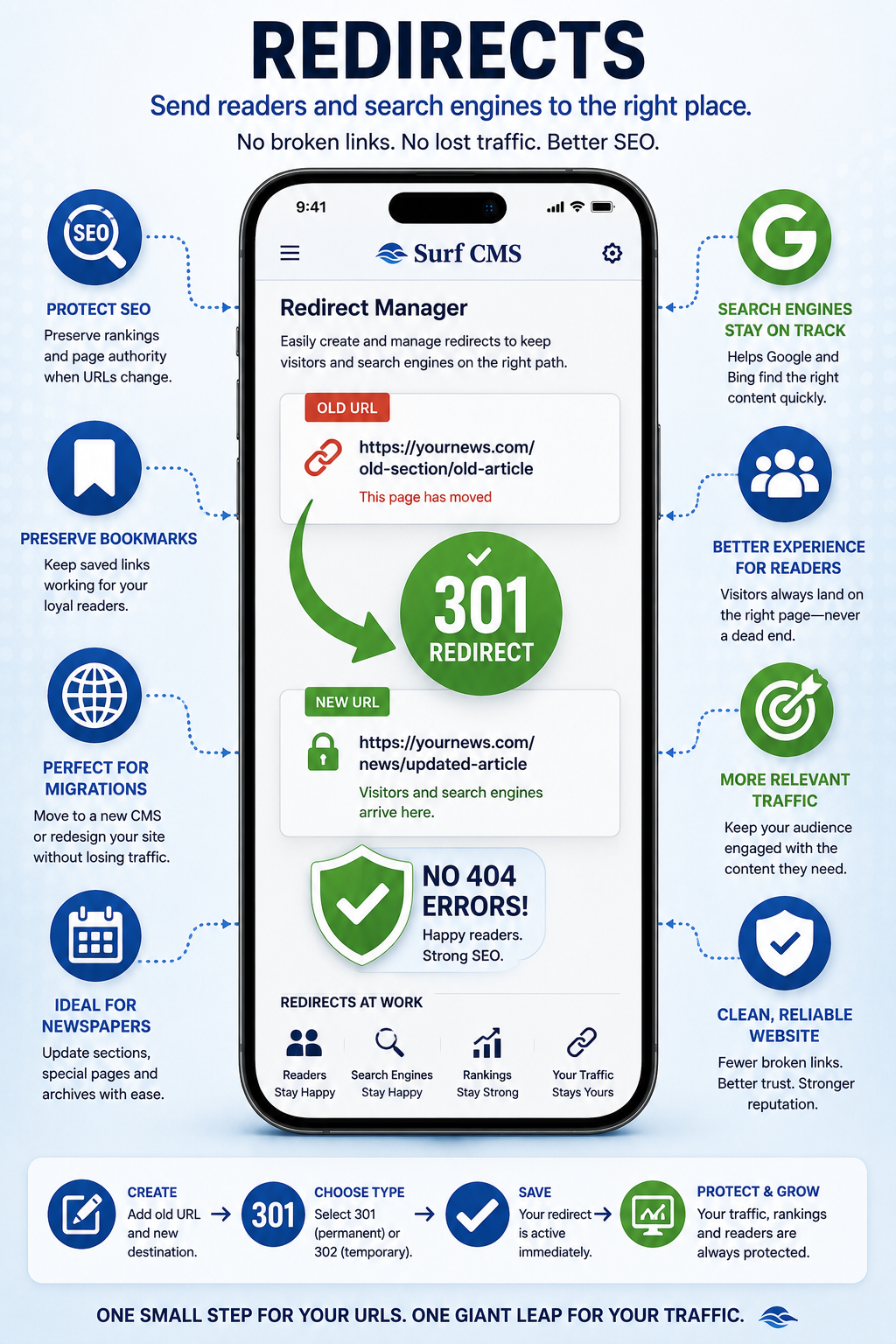
Websites change over time. Articles move, section names evolve, and entire websites are redesigned. Surf CMS makes it easy to create and manage URL redirects so readers—and search engines—always end up in the right place.
Whether you're migrating from another CMS, renaming a section, or replacing an outdated page, redirects help preserve traffic, improve the reader experience, and protect your search engine rankings.
Prevent Broken Links
Instead of showing visitors a "Page Not Found" error, redirects automatically send them to the most relevant page.
Common uses include:
- Website redesigns
- CMS migrations
- Renamed articles
- Updated section URLs
- Moved landing pages
- Reorganized content
- Deleted pages
- Special publication archives
Your readers reach the right destination without frustration.
Preserve Search Engine Rankings
Search engines value consistency. Proper redirects help preserve the SEO value of existing pages when URLs change, reducing the impact of site updates and helping maintain search visibility.
This is especially important during:
- Website launches
- Domain changes
- CMS migrations
- Content reorganizations
- URL cleanup projects
Easy Redirect Management
Create redirects without editing server files or writing code.
Manage:
- Permanent (301) redirects
- Temporary (302) redirects
- Custom destination URLs
- Internal page redirects
- External redirects
Everything is managed through an easy-to-use interface.
Perfect for Newspaper Websites
Community newspapers frequently publish:
- Special election pages
- Seasonal content
- Event landing pages
- Annual guides
- Community resources
When those pages move or are updated, redirects ensure readers can still find the information they're looking for.
Improve the Reader Experience
Readers shouldn't have to guess where content has gone. Redirects quietly guide visitors to the correct page, creating a smoother browsing experience while reducing frustration.
Helpful During Website Migrations
Moving from another CMS? Redirects are one of the most important tools for maintaining traffic after a website launch.
Surf CMS makes it easy to redirect old URLs to their new locations, helping preserve years of search engine indexing and bookmarked links.
Stay Organized
As your website grows, redirects help keep your content organized while allowing editors to confidently update URLs, rename sections, and improve site structure without worrying about broken links.
Keep Every Link Working
A well-managed redirect strategy protects your readers, your search rankings, and your digital history. Surf CMS makes it easy to manage URL redirects so your website continues delivering a seamless experience, even as it evolves.
Protect your traffic and your readers. Create and manage URL redirects that preserve search rankings, eliminate broken links, and keep visitors headed in the right direction.