
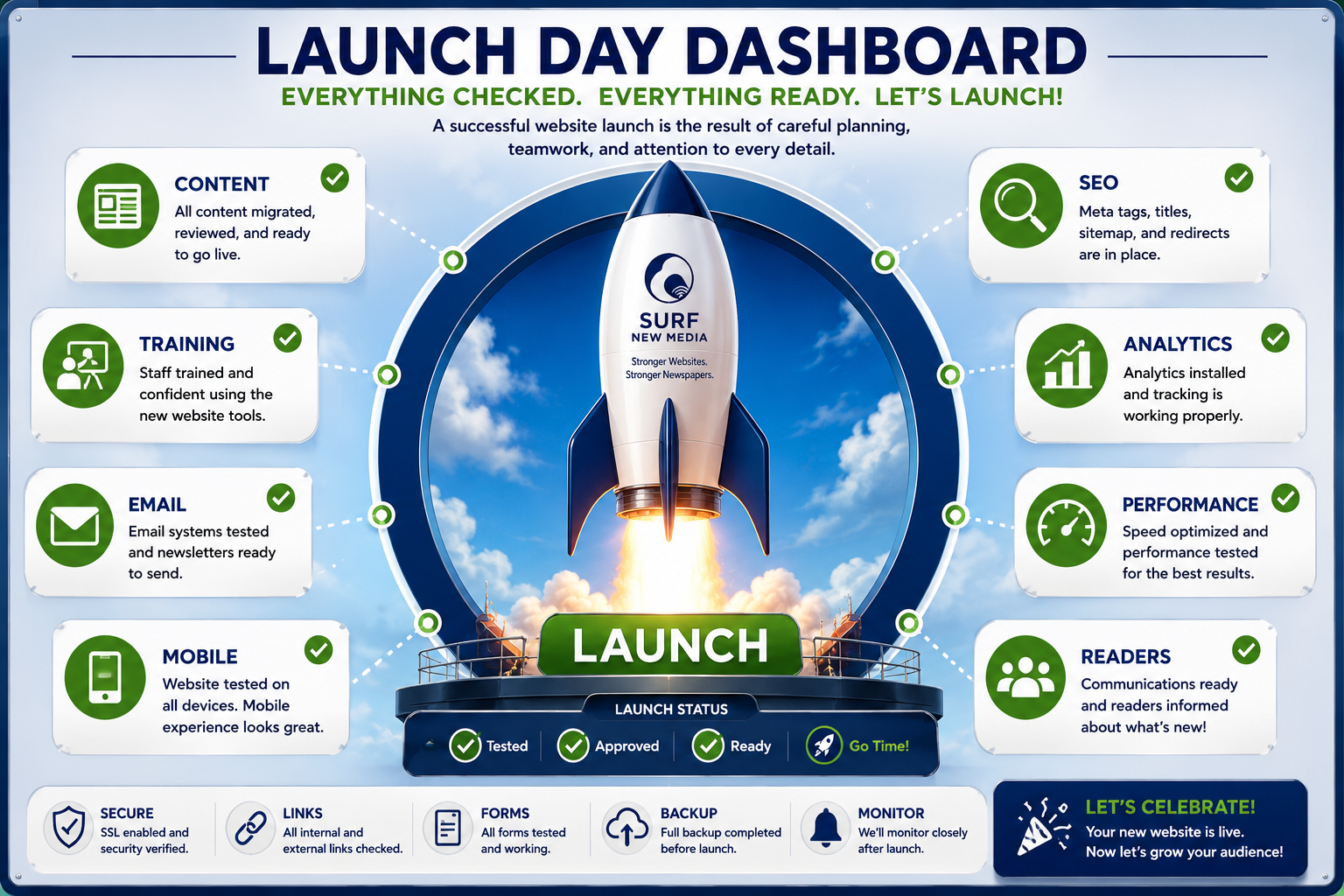
You’re Almost Ready!
Launching a new newspaper website is an exciting milestone.
After weeks of planning, designing, migrating content, and training your staff, it’s finally time to introduce your new digital home to your readers.
A successful launch isn’t just about flipping a switch.
It’s about making sure your staff is confident, your content is ready, and your readers enjoy a seamless transition.
This guide will walk you through every stage of launch day and beyond.
Four Weeks Before Launch
Now is the time to review the overall website and make sure everything reflects your newspaper.
Final Website Review
- Review your homepage layout.
- Confirm your branding and logo.
- Check navigation menus.
- Verify section names.
- Review contact information.
- Confirm business hours and staff listings.
- Review advertising locations.
Take time to look at the website as if you were a first-time visitor.
Review Your Content
Before launch, carefully review your content.
Check:
- Featured stories
- Breaking news sections
- Photo galleries
- Community calendar
- Obituaries
- Public notices
- Staff pages
- Advertiser pages
Make sure everything is current and accurate.
Train Your Staff
One of the biggest advantages of a successful launch is having a confident team.
Before launch, every staff member should know how to:
- Publish a story
- Upload photos
- Edit articles
- Schedule content
- Create newsletters
- Use AI tools
- Publish Everywhere
- Manage user accounts
The more comfortable your staff feels, the smoother launch week will be.
Test Everything
Before going live, perform a complete website review.
Test:
- Homepage
- Navigation
- Search
- Contact forms
- Newsletter signup
- Social sharing
- Digital subscriptions
- Mobile phones
- Tablets
- Desktop computers
- Internal links
- External links
- Images
- Videos
Small issues are much easier to fix before readers discover them.
Prepare Your Readers
Launching a new website is exciting.
Let your readers know what’s coming.
Consider publishing:
- A front-page announcement
- A story explaining the new website
- A newsletter preview
- Social media countdown posts
- A short welcome video from the publisher or editor
Building anticipation helps readers embrace the change.
Launch Day
The big day has arrived!
Your launch day checklist should include:
✓ Final website review
✓ DNS updates (if needed)
✓ Verify SSL security
✓ Test forms
✓ Confirm email delivery
✓ Review homepage
✓ Check mobile devices
✓ Verify analytics
✓ Confirm search indexing
✓ Monitor reader feedback
Most readers will simply notice a faster, more modern website.
Announce Your Launch
Celebrate your new website!
Share the news through:
- X (Twitter)
- Email newsletter
- Print edition
- Community organizations
Invite readers to explore the new features and encourage them to share feedback.
Highlight What’s New
Don’t assume readers will discover every improvement on their own.
Create a “What’s New” article that introduces features such as:
- Mobile-friendly design
- Faster performance
- Easier navigation
- AI-enhanced publishing
- Improved search
- Newsletter signup
- Digital subscriptions
- Community calendar
- Photo galleries
- Publish Everywhere technology
Help readers get the most from your new website.
Listen to Your Readers
Every launch generates feedback.
Encourage readers to tell you:
- What they like.
- What could be improved.
- Any broken links they find.
- Suggestions for future enhancements.
Their input can help you continue improving the experience.
Monitor Performance
During the first few weeks, keep an eye on your website’s performance.
Review:
- Website traffic
- Popular stories
- Newsletter signups
- Digital subscriptions
- Reader engagement
- Search engine visibility
- Mobile usage
- Site speed
These insights will help guide future improvements.
Continue Improving
Launching your website isn’t the finish line.
It’s the beginning of your newspaper’s next chapter.
As your audience grows, continue adding:
- New sections
- Additional newsletters
- AI features
- Community resources
- Special projects
- Advertising opportunities
- Reader engagement tools
A great newspaper website is always evolving.
Frequently Asked Questions
Will readers notice the change?
Yes—but in a good way.
Most readers immediately notice improved speed, easier navigation, and a cleaner design.
Should we announce the new website?
Absolutely.
Treat your launch like an important community event and invite readers to explore everything that’s new.
What if we discover a small issue after launch?
That’s normal.
Even with careful testing, minor adjustments are common. The important thing is responding quickly and continuing to improve.
How long should we monitor the launch?
Pay close attention during the first month, especially during the first week.
Review analytics, reader feedback, and staff experiences to identify opportunities for improvement.
Does Surf New Media help after launch?
Yes.
Our relationship doesn’t end on launch day.
We continue providing support, updates, training, hosting, security monitoring, and new features to help your newspaper succeed long after your website goes live.
Related Resources
Continue exploring:
- Website Migration Guide
- Email Migration Guide
- Website Performance Tips
- Publish Everywhere
- Growing Email Subscribers
- Why Community Newspapers Choose Drupal
- Launch Timeline
- ROI Calculator
- Newspaper Resource Center
Your Launch Is Just the Beginning
A successful website launch isn’t simply about introducing a new design.
It’s about giving your newsroom better tools, providing readers with a better experience, and preparing your newspaper for long-term digital success.
With careful planning, staff training, and the right technology partner, launch day becomes the beginning of a stronger, smarter, and more connected digital future.
Schedule a Free Demo and discover how Surf New Media helps community newspapers launch with confidence and continue growing long after launch day.